


Page unavailable? Copy its Markdown and paste it into your chat.
Agent Mailbox: an email address for your AI agent
Give Claude, ChatGPT, Alvin or any MCP agent its own email inbox. Create it with one prompt and send the first email in minutes.
Reviewed · 2026-10-08 / Ridian
Agent Mailbox gives your AI agent its own email address at ridianmail.com. Your agent receives email there, reads it, writes drafts, replies, forwards and sends, with the permissions you choose. You see every message in the Ridian app as well.
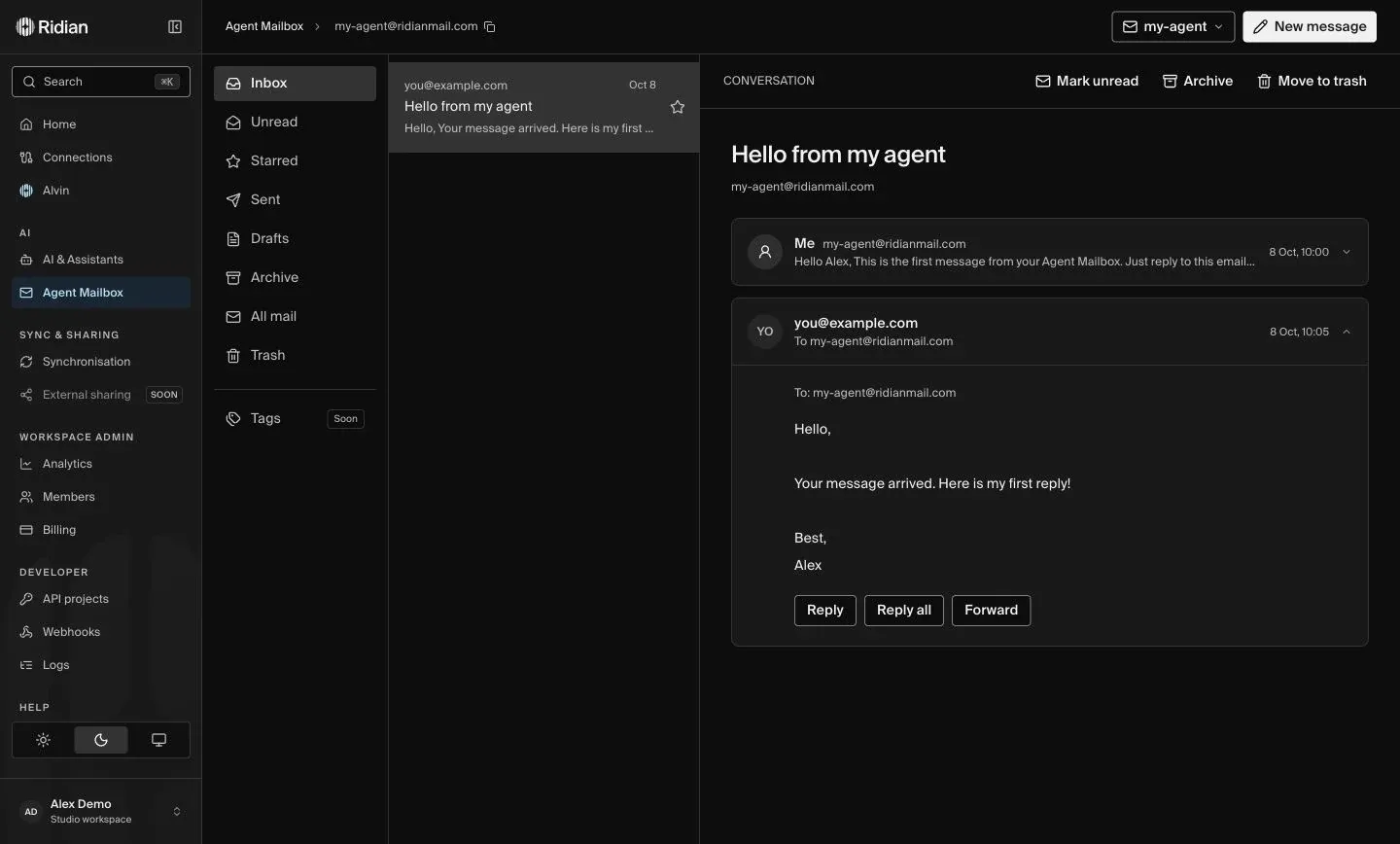
It works with Claude, ChatGPT, Cursor, Codex, Claude Code and every MCP client, and with Alvin, the agent built into Ridian. One sentence is enough to create a mailbox:
Use @Ridian to create an Agent Mailbox named my-agent and send a test message to you@company.com.
Start the quick start → Your first mailbox and test email take about five minutes.
What your agent can do
Section titled “What your agent can do”- Its own address. Every Agent Mailbox has a real address such as
my-agent@ridianmail.com. Create one per agent, project or task. - Receive and read. Your agent reads incoming email and threads when you ask, including senders, recipients and attachments.
- Write and send. It sends a simple message in one step, or saves a draft for you to check first. Replies, reply all and forwards stay in the right thread.
- Work with files. Attachments go out with drafts. Alvin also analyzes images, small PDFs, text files and spreadsheets on request.
- Combine with your calendar. In the same conversation your agent can check your free times, propose slots by email and create the event once someone confirms.
Use cases
Section titled “Use cases”| Use case | Result |
|---|---|
| Sign in without switching inboxes | Your agent receives verification emails and sign-in codes in its own inbox and uses them for the sign-in you requested. |
| Invoices in one clear overview | Forward receipts to your agent. It creates a reviewable overview of senders, amounts and due dates. |
| Respond to inquiries faster | Give a project its own contact address. Your agent organizes inquiries and prepares replies for review. |
| From email to a booked meeting | Connect mailbox and calendar. Your agent finds free times, prepares proposals and creates the confirmed event. |
Each use case comes with a prompt to copy: Use cases and prompts.
Works with your agent
Section titled “Works with your agent”- Claude: Add Ridian from the Claude directory.
- ChatGPT: Connect once under AI & Assistants.
- Cursor: Connect once under AI & Assistants.
- Codex: Connect once under AI & Assistants.
- Claude Code: Connect once under AI & Assistants.
- Any MCP client: Remote MCP server
https://api.getridian.com/mcpwith OAuth. - Alvin in Ridian: Built into the app, nothing to connect.
You stay in control
Section titled “You stay in control”- Permissions per agent. Under AI & Assistants you decide for each agent whether it may read, write drafts, send or create mailboxes, and which mailboxes it can use. Full access is the default and includes mailboxes you create later.
- Everything visible. Every message your agent sends or receives appears in Agent Mailbox in the app, in folders such as Inbox, Sent and Drafts.
- Email content is never an instruction. Your agent treats incoming email as information. A message cannot authorize your agent to act or to reply; only your request can.
- Revoke at any time. Revoking an agent’s access stops it immediately. Your mailboxes and their messages stay in Ridian.
Your connected Google or Microsoft inbox stays private: Agent Mailbox is a separate address, and connecting a calendar does not give Ridian access to your Gmail or Outlook messages.
The Free plan includes one Agent Mailbox per person. Paid plans include more mailboxes per person and workspace. See pricing for details.
Next steps
Section titled “Next steps”- Quick start: connect your agent and send the first email.
- Use cases and prompts: ideas to copy for everyday work.
- Use and manage Agent Mailbox: folders, attachments, limits and permissions in detail.